Everything at a glance
Keep cleanings and new arrivals of all your properties under control – all in one place. Bookings from portals flow into the calendar automatically, you add your own occupancies in seconds, and with tuning you control where your property can be booked commission-free or commission-based.
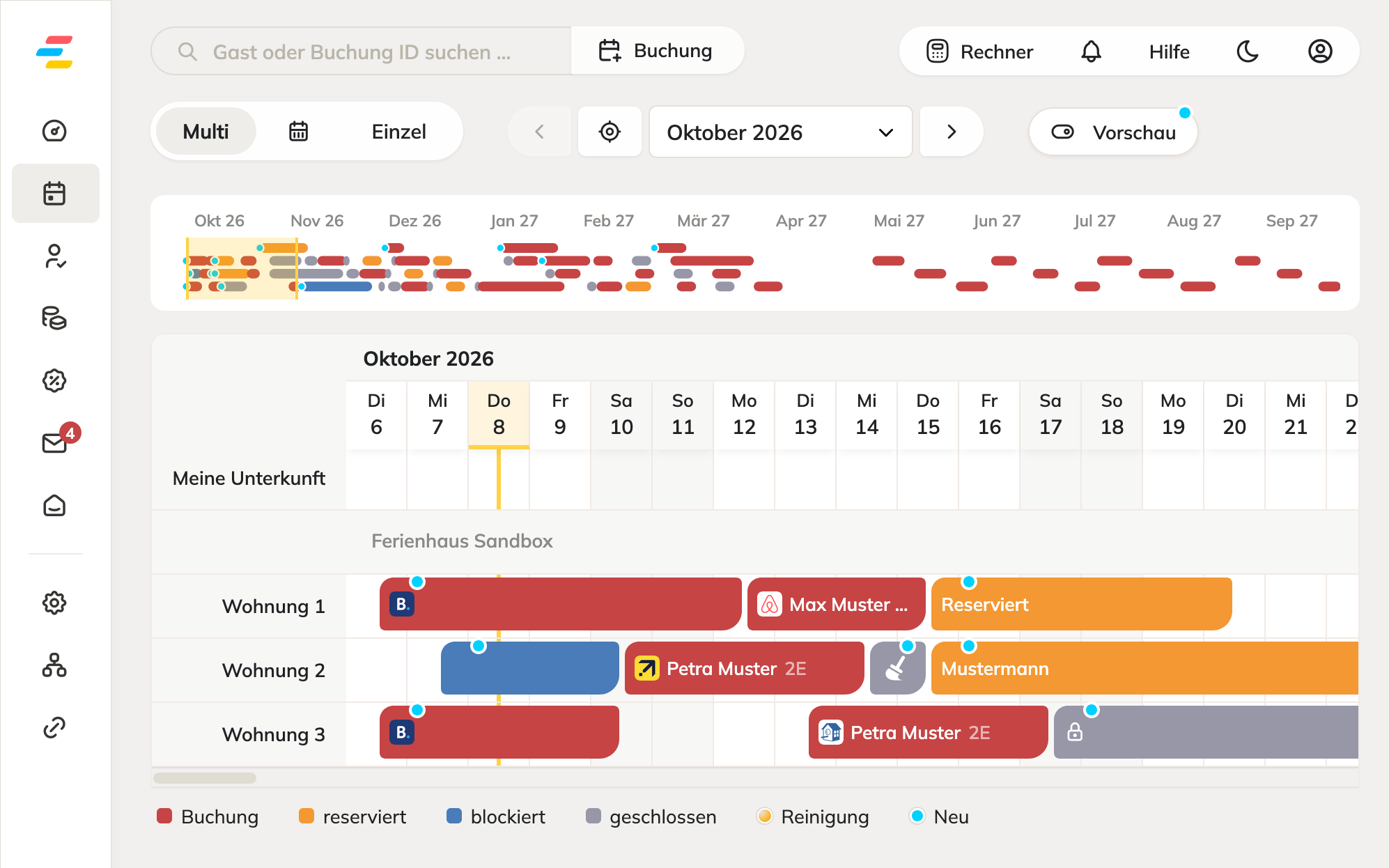
What the multi-calendar can do
Three views
Multi shows all properties stacked on one timeline, Occupancy shows the occupancy rate per month in percent, and Single shows one property over 15 months.
Clear color coding
Red for bookings, orange for reservations, blue for blocks and gray for cleaning or closed periods. A blue dot marks new bookings from the last 24 hours.
Cleaning at a glance
Cleaning times are marked in the calendar. You immediately see when there is time for your cleaning team between departure and arrival.
Book with a click
Click a free day or drag across several days. Period and property are automatically transferred to the edit window.
Portals automatically
Bookings arrive in the calendar via iCal or the channel manager. Conversely, your occupancies report the blocked periods back to the portals.
Tuning
Block high-demand periods specifically for commission-based portals. Your property stays bookable on your own website.
No double bookings
When a booking comes in through one channel, all other channels are blocked within seconds. Everything runs in sync.
Guest name and details
New bookings land directly in the calendar, with guest name and details. Changes and cancellations are detected automatically.
Ready to go in 3 steps
No technical know-how required. If you like, our vacation rental experts will guide you through onboarding.

Connect portals
Link Booking.com, Airbnb & Co. in just a few clicks.
Rent out with ease
You get notified about new bookings and have everything under control.
Frequently asked questions about the multi-calendar
Which views does the multi-calendar offer?
What do the colors in the calendar mean?
How do I create my own occupancy?
How do bookings from portals get into the calendar?
Does the multi-calendar prevent double bookings?
What is tuning and why do I need it?
All bookings in one calendar
Try free for 14 days – no credit card, no setup fee.