Manage bookings and guests in one place
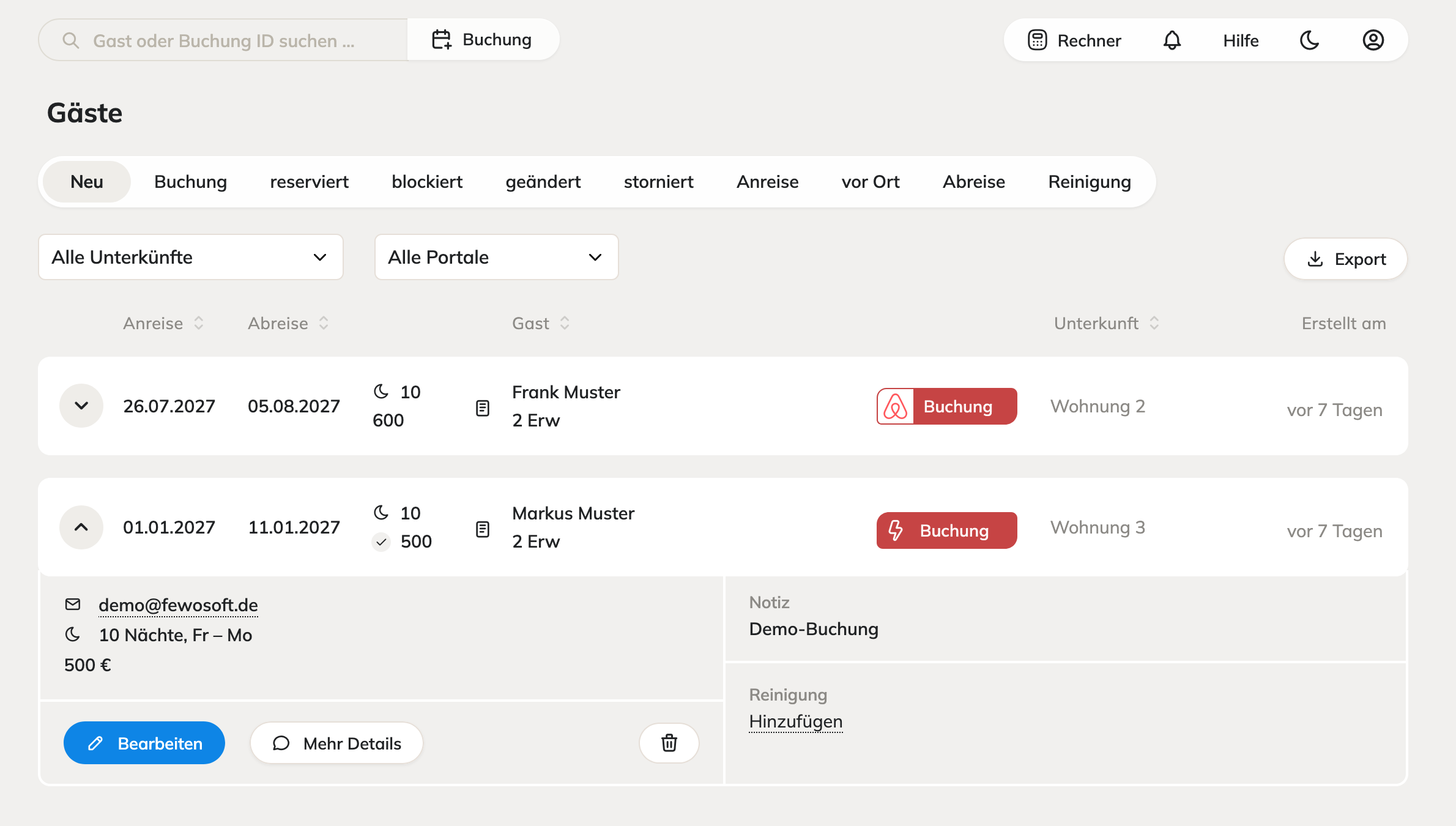
Manage everything from inquiry to departure in one place – no paperwork shuffle. In the guest list you see every booking with its status, portal and property, and edit the occupancy right there.
What PMS management can do
PMS management is already included in the Starter plan, so it comes with every plan.
Guest list with status
Tabs such as New, Booking, Reserved, Blocked, Changed, Cancelled, Arrival, On site, Departure and Cleaning show you right away what’s coming up.
Search and filter
Search by guest or booking ID and filter the list by property and portal.
Details in one click
Expand a booking to see the email address, number of nights, price, note and cleaning without leaving the list.
Edit occupancy
Change a booking directly with “Edit”. In the calendar you create your own occupancies by clicking or dragging – period and property are filled in automatically.
Cleaning and notes
Add a note to every booking and schedule the cleaning.
Export
Export the guest list to use the data elsewhere.
Manage your guests in the Fewosoft PMS
Try free for 14 days – no credit card, no setup fee.